Salt Pinch v1.0
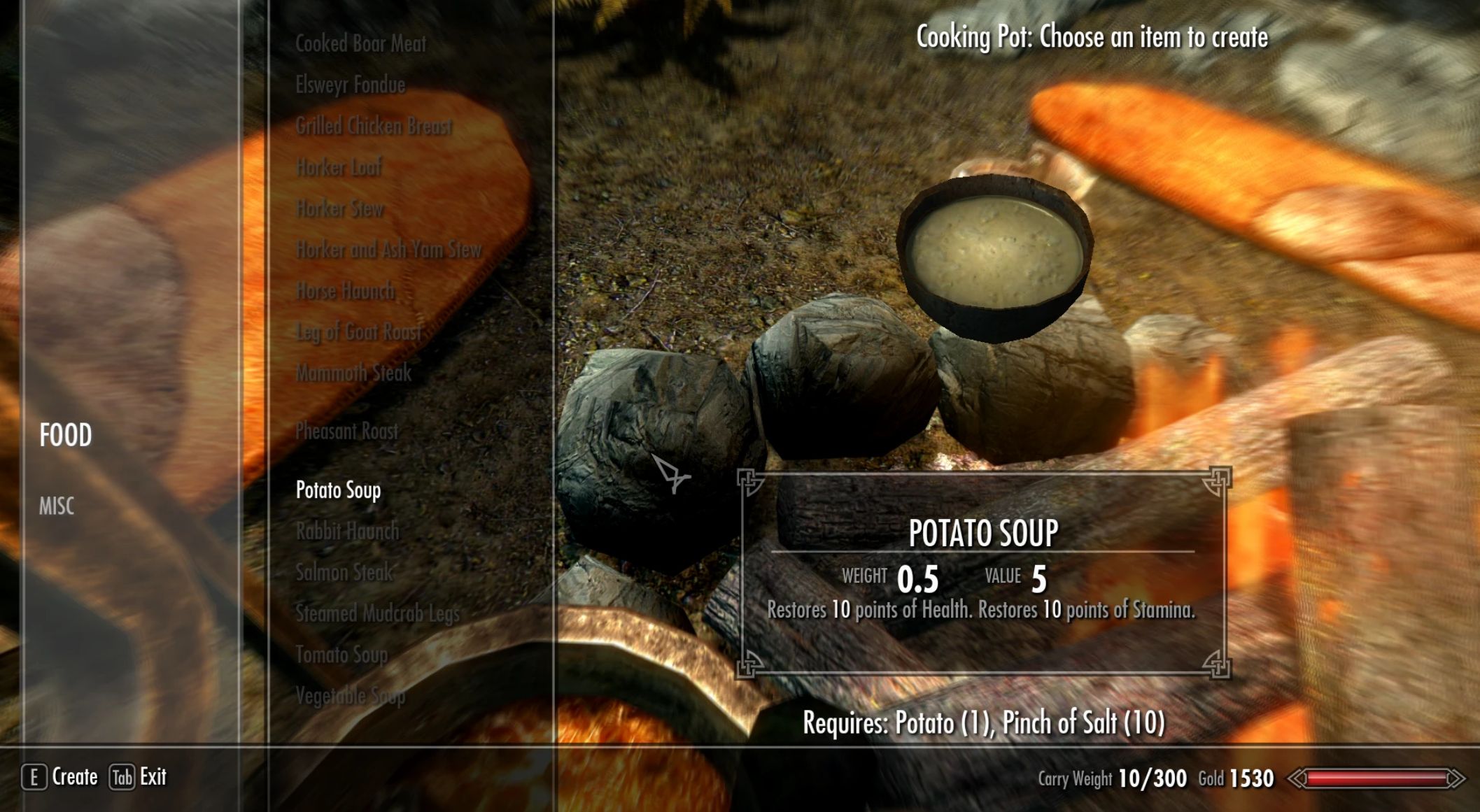
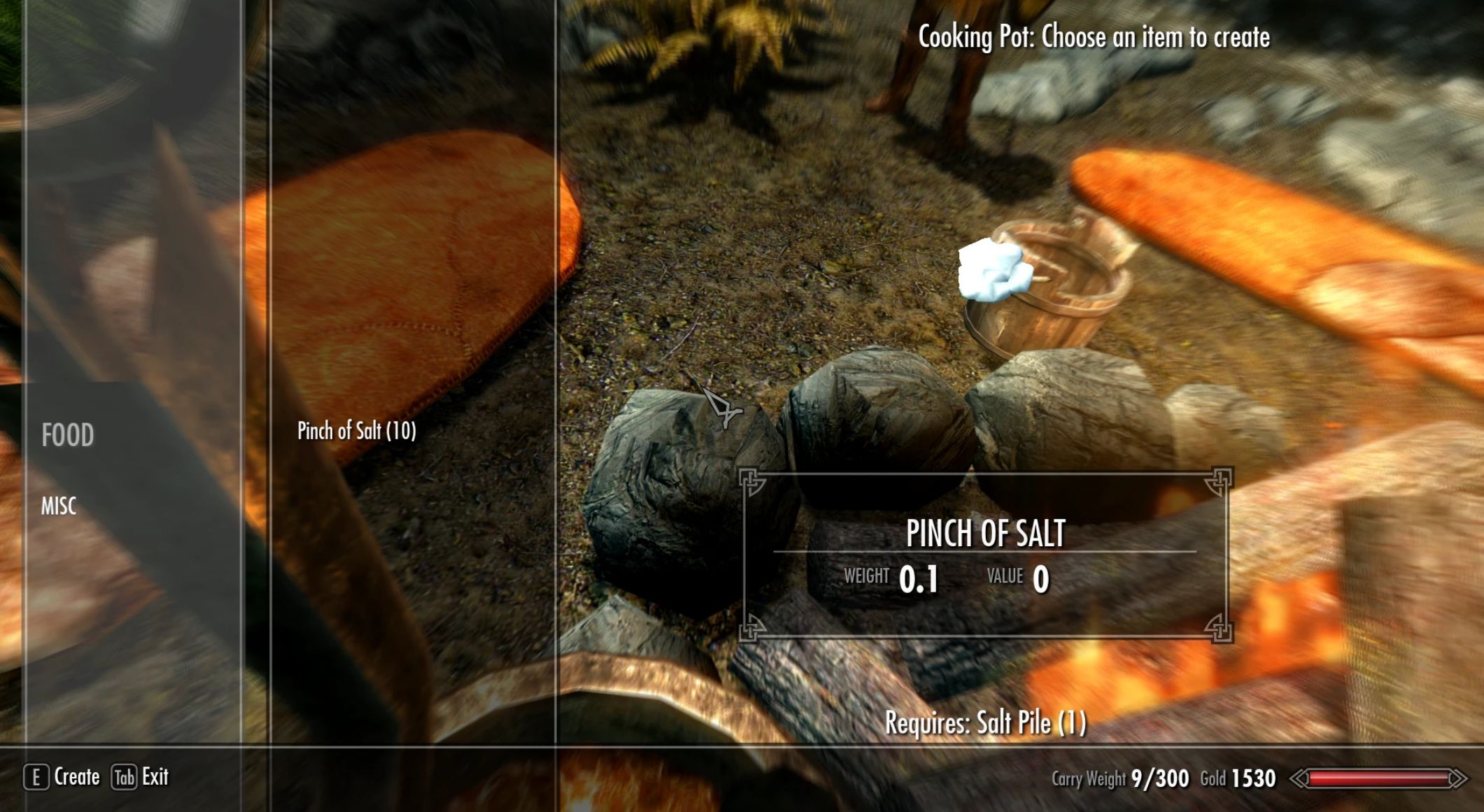
Tired of never having enough salt piles to cook with? This mod adds a new “Pinch of Salt” item, 10 of which can be crafted from a single salt pile. Then, all food recipes that that used a salt pile will use a salt pinch instead.
Description
Tired of never having enough salt piles to cook with if you’re playing with survival mods that require you to eat? Think it’s dumb you need a whole bowl full of salt in your cabbage soup? This mod adds a new “Pinch of Salt” item, 10 of which can be crafted from a single salt pile. Then, all food recipes that that used a salt pile will use a salt pinch instead.
There are two versions, “Vanilla” and “Modded”. Both are contained within a single FOMOD installer.
– Vanilla – requires Hearth Fires, Dragonborn, and USLEEP. Use if you don’t have any mods that add food recipes that take salt piles.
– Modded – allows modded recipes to automatically have salt piles replaced by salt pinches using a Synthesis patcher. This requires the use of Synthesis, which is a patching framework.
The Synthesis patcher will scan through your load order, finding any crafting recipes that both take a salt pile as one of their inputs and also produce a food item. It will then replace the salt pile input with a salt pinch instead.
Requirements
– The “Vanilla” version requires Hearth Fires, Dragonborn, and USLEEP.
– The “Modded” version only requires Synthesis.
Installing with Mod Manager
This is the recommended method. You will be prompted to choose either the Vanilla or Modded version.
For the modded version, you will need to run the Synthesis patcher after installing the mod. Here’s how:
1. Make sure Synthesis is installed (see requirements above).
2. Run the Synthesis UI
3. Go to your skyrim\data folder. In Vortex, this is made easier by going to the “Open” tool and selecting “Open Game Mods Folder”
4. Find the “SaltPinchPatcher.synth” file
5. Double click it
6. Synthesis will load the patcher; this will require an internet connection
7. Click the run button in the lower left to create and apply the patch
8. Make sure the plugin “Synthesis.esp” is enabled in your mod manager and near the end of your load order
Uninstalling with Mod Manager
Disable or uninstall the mod as normal. This is all that is needed for the vanilla version.
If you used the modded version, after uninstallation either:
a. Run Synthesis again without the SaltPinchPatcher, or
b. Disable or delete the Synthesis.esp plugin (this is easier if you’re not using synthesis for anything else)
If you’re no longer intending to use Synthesis:
1. Delete the synthesis folder
2. Uninstall the .NET SDK using the methods provided by your OS for uninstalling software if you don’t have further use for it
Installing Manually
1. Unzip the archive with 7zip
2. Copy the “Data” folder from the mod into your “Skyrim” folder (the one that contains TESV.exe)
3. If you’re using the Vanilla version, copy the contents of the “Vanilla” folder into your skyrim\data folder. Same principle for the modded version. Note the requirements above.
For the modded version, you will need to run the Synthesis patcher after installing the mod. Here’s how:
1. Make sure Synthesis is installed (see requirements above).
2. Run the Synthesis UI
4. Find the “SaltPinchPatcher.synth” file, either in the extracted mod archive or skyrim\data, if you copied it over
5. Double click it
6. Synthesis will load the patcher; this will require an internet connection
7. Click the run button in the lower left to create and apply the patch
8. Make sure the plugin “Synthesis.esp” is enabled and near the end of your load order
For more info, see the Synthesis documentation here.
Uninstalling Manually
1. Delete skyrim\data\meshes\clutter\saltpinch.nif
2. Delete skyrim\data\textures\clutter\saltpinch.dds
3. Delete any of the following from skyrim\data: SaltPinchVanilla.esp, SaltPinch.esp and SaltPinchPatcher.synth and remove the appropriate plugins from your load order
If you used the modded version, after uninstallation either:
a. Run Synthesis again without the SaltPinchPatcher, or
b. Disable or delete the Synthesis.esp plugin (this is easier if you’re not using synthesis for anything else)
If you’re no longer intending to use Synthesis:
1. Delete the synthesis folder
2. Uninstall the .NET SDK using the methods provided by your OS for uninstalling software if you don’t have further use for it
Compatibility
Should be compatible with pretty much everything if you use the Synthesis patcher. Feel free to contact me if you experience any issues with compatibility.